

Webship Workspace is on npm: one workspace, many connected spaces
Every big company is building a workspace now. Google has Google Workspace: mail, docs, drive and meetings in one place. Microsoft has its Microsoft 365 workspace with Teams, Office and SharePoint. Replit turned the browser into a coding workspace where you write, run and deploy with an AI agent next to you. The word is everywhere, because people do not want separate tools any more. They want one place where the work lives.
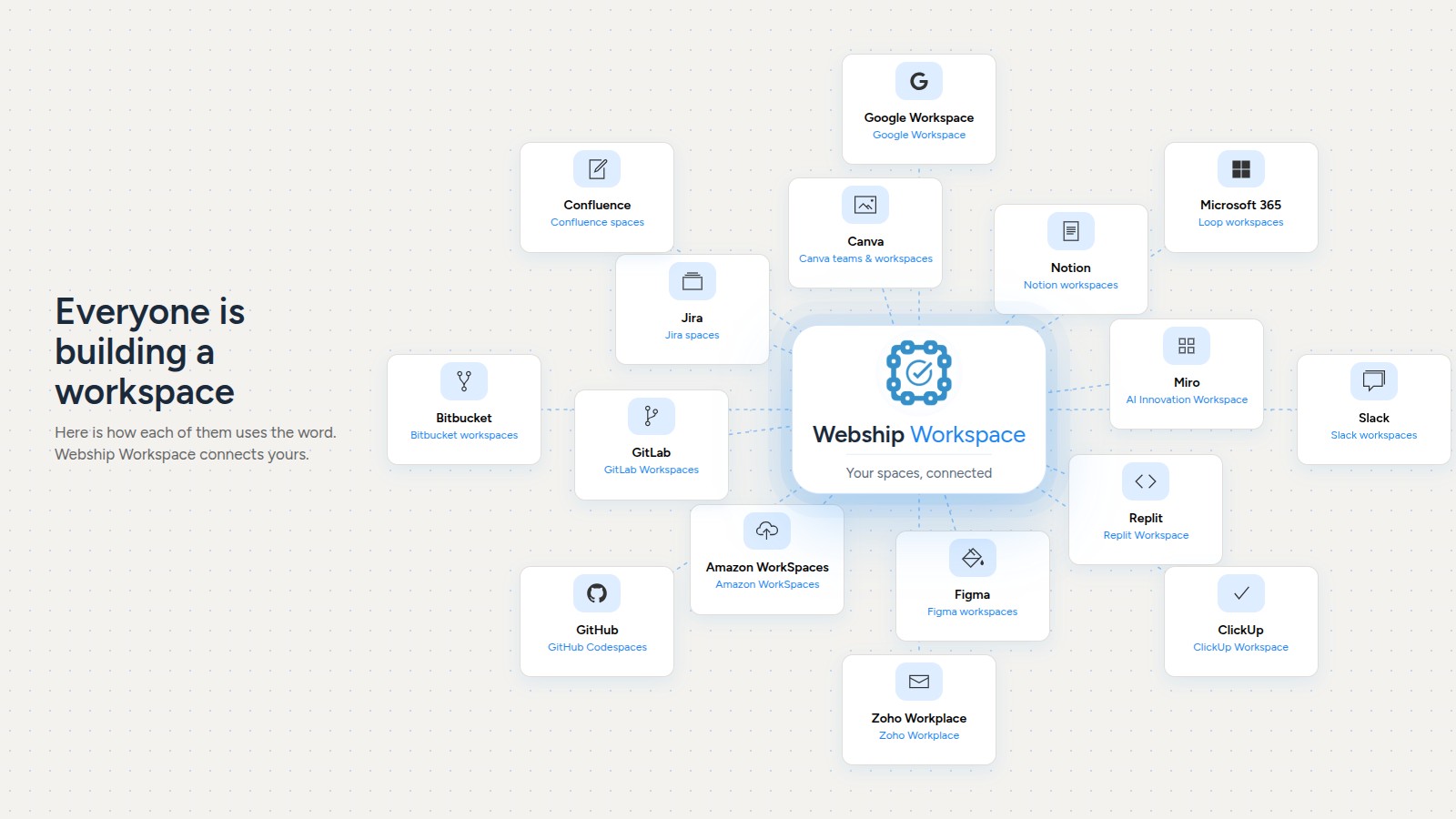
The word is everywhere. Here is where each of them says it, in their own words:
- Google Workspace: mail, Docs, Drive and Meet in one suite.
- Microsoft 365 Loop workspaces: shared spaces for a team's pages and components.
- Replit Workspace: people, projects, data and AI in one place, with Team Workspaces for groups.
- Notion workspaces: the home for all your content, alone or with your team.
- Slack workspaces: a team's channels, people and apps.
- Miro, the AI Innovation Workspace: whiteboards for teams.
- ClickUp Workspace: the top of its Workspace, Space, Folder, List hierarchy.
- Figma workspaces: groups of teams and files inside an organization.
- Canva: teams and workspaces for people and projects.
- Zoho Workplace: mail and office apps as one suite.
- Amazon WorkSpaces: whole desktops in the cloud.
- GitHub Codespaces: a cloud development environment for every repository.
- GitLab Workspaces: remote development environments.
- Bitbucket workspaces: where repositories and teams live.
- Jira spaces: Jira projects were renamed spaces in 2025.
- Confluence spaces: one space per team or project.
I have been building my own answer to that for developers: Webship Workspace.
Where it started
It started as a folder of old shell scripts on a LAMP stack, the ones we used to build Drupal distributions, demos and test sites. On 22 July 2026 I sat down with Claude Code and rebuilt it in one long day: everything moved to DDEV, every project got its own containers and database, and a web dashboard came to life at workspace.ddev.site. It is plain Node.js, HTMX and UIkit, running inside its own DDEV container, and it builds, starts, stops, backs up and restores real projects with the live terminal output streaming in the page.
The same day it got an AI Assistant: a sidebar on every page that knows what you are looking at, can answer in text or by voice, and can actually do things in the dashboard, not only talk about them.
One workspace becomes many
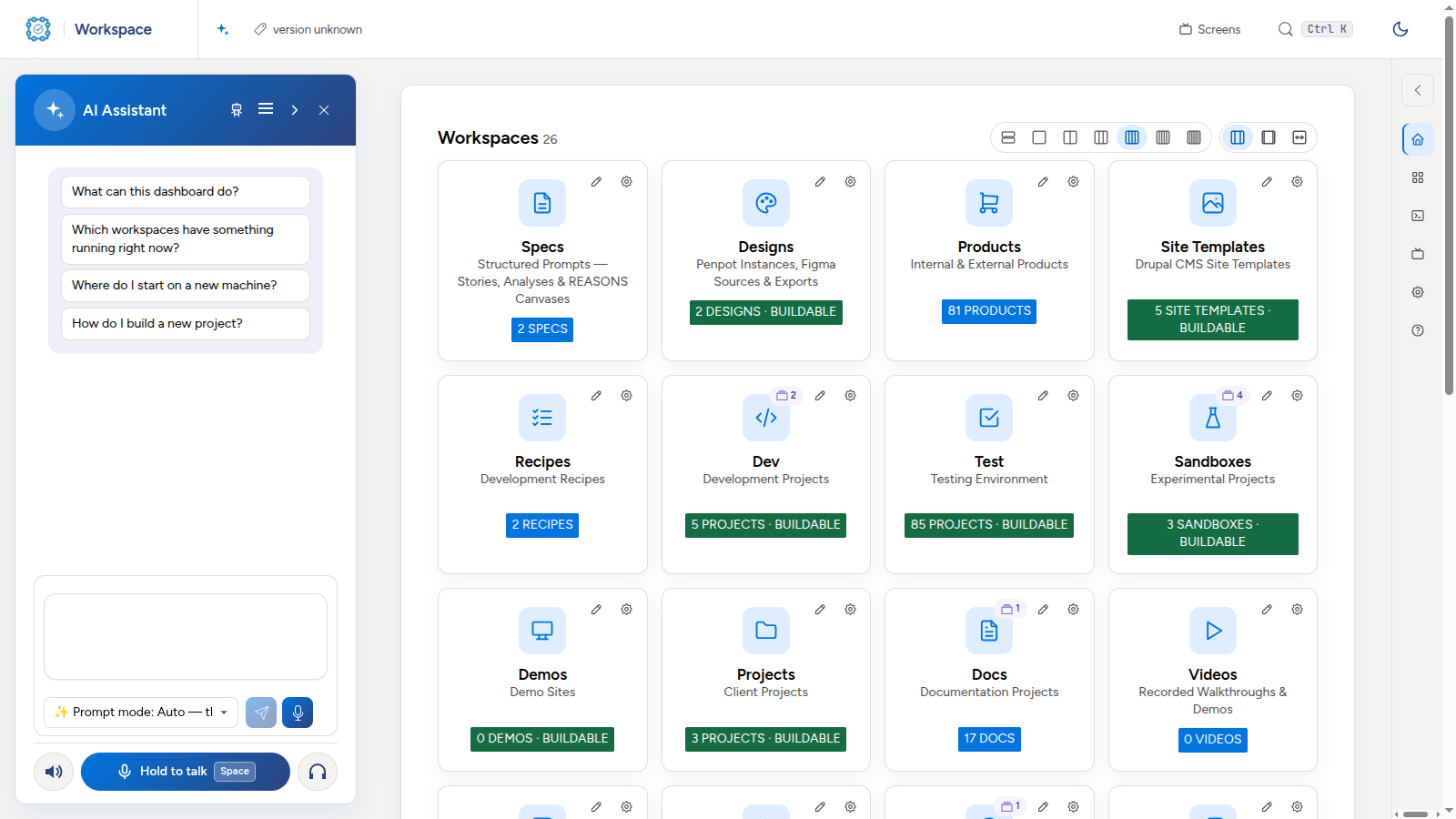
Very quickly the folders stopped being "just folders". Dev, Test, Demos, Sandboxes and Projects build sites. Products, Modules, Themes, Recipes and Site Templates hold the things we ship. Then came the AI workspaces: Agents, Skills, Prompts and Commands, which you can write, edit, share and install with one click. Then Docs, Specs, Designs, Videos, Images, Audio, Graphs and RAG. Each one has its own page, its own subdomain such as dev.workspace.ddev.site, its own actions, and its own questions for the assistant.
Now on npm: the core and its plugins
Webship Workspace is now published on npm under the @webship.co scope. The core is @webship.co/workspace (1.0.1). It is the lean part: the workspaces, the builders, the settings, the AI Assistant and the plugin system. Everything else is a plugin, and 49 Webship packages are published with it:
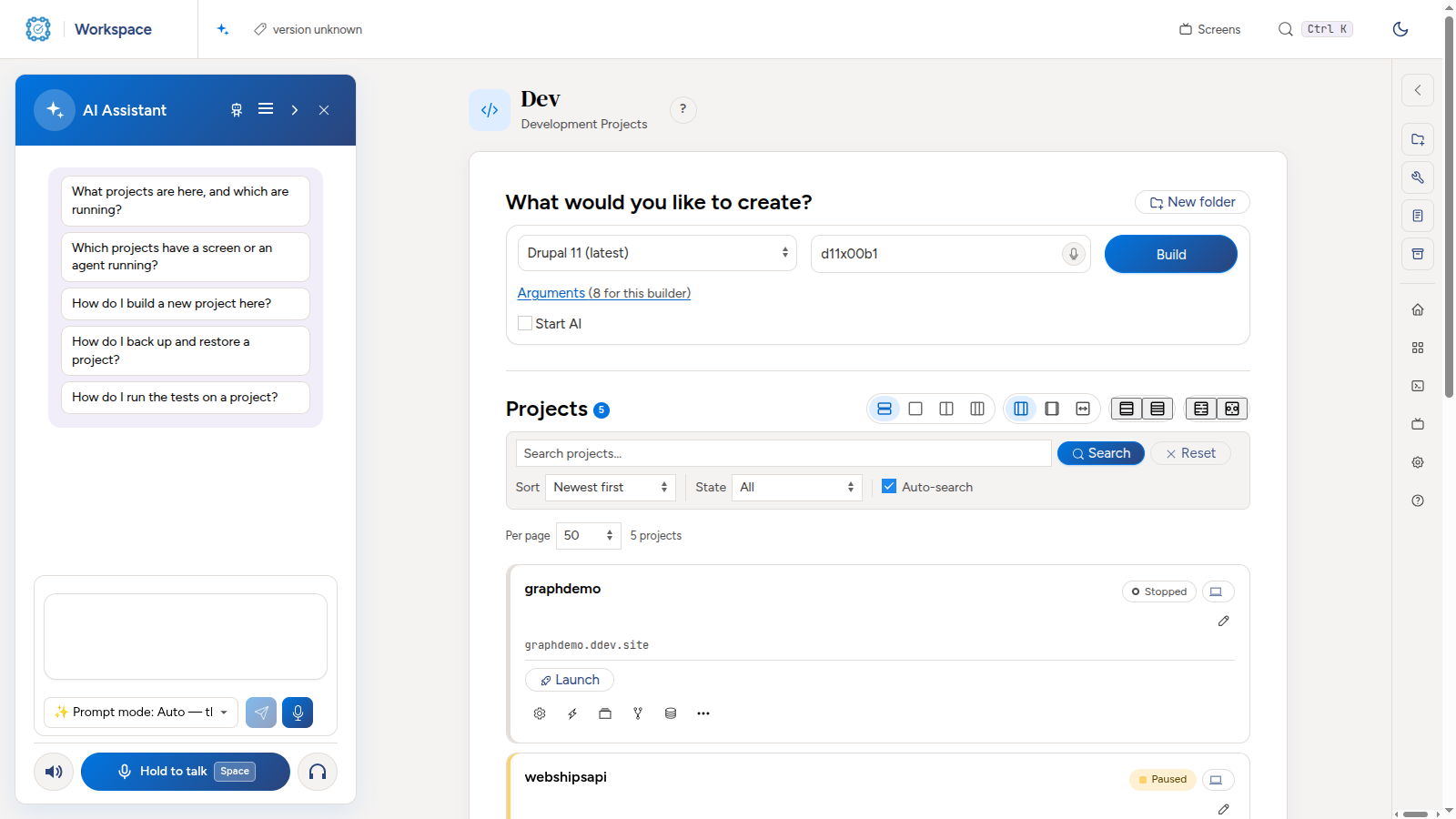
- Workspaces: dev, test, demos, sandboxes, projects, products, specs, designs, docs, video, audio, images, avatar, worklogs, libraries, rag, graph, and the Drupal ones: modules, themes, profiles, recipes and site templates.
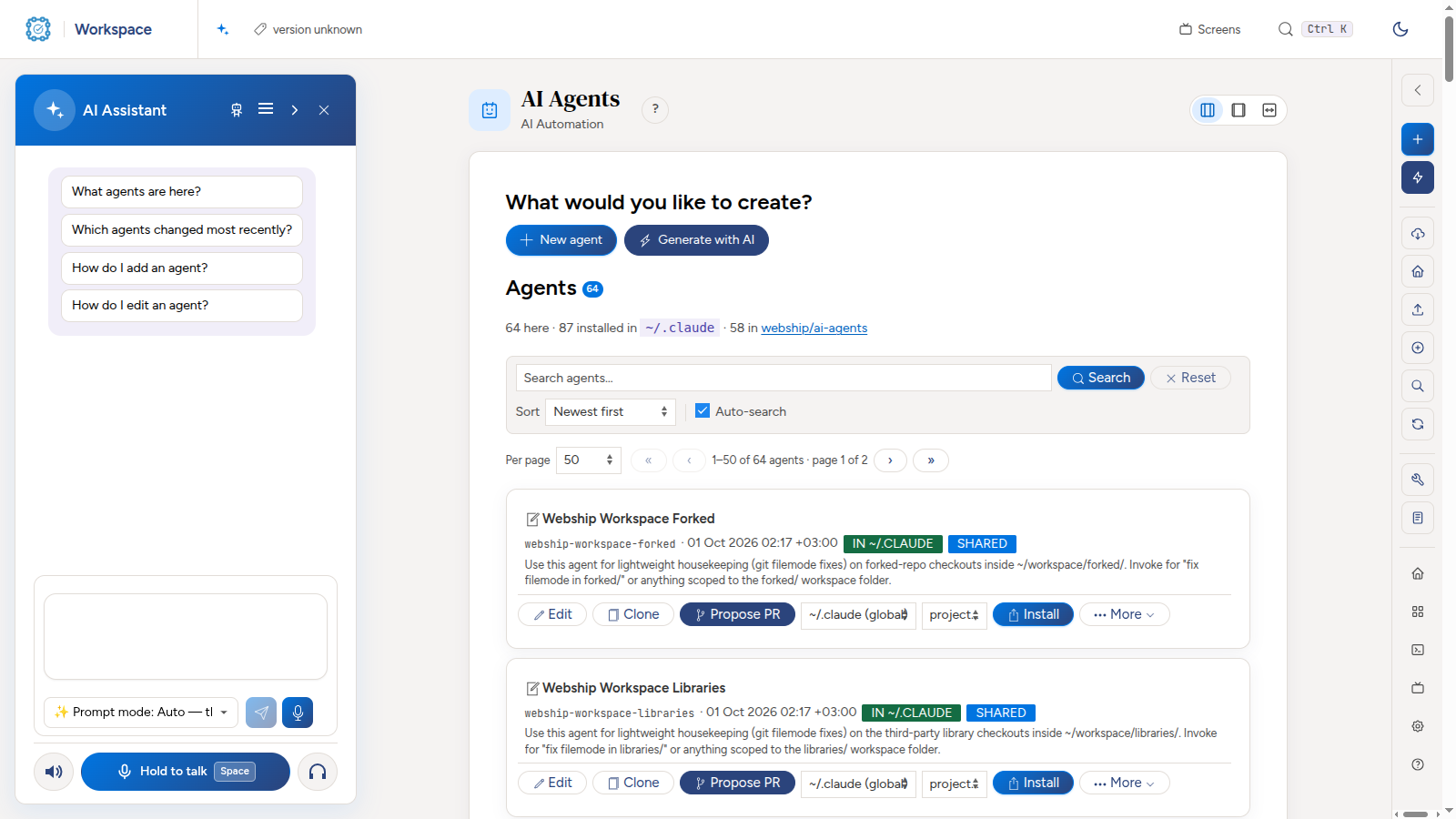
- AI workspaces: ai-agents, ai-skills, ai-prompts and ai-commands.
- Hosting: Upsun, cPanel, DigitalOcean, AWS, Azure, Acquia and GoDaddy, on one shared hosting base.
- Forges: GitHub, GitLab and Bitbucket, on one shared forge base.
- Container runtimes: Docker, Podman, Lando, Docksal and Kubernetes, on one shared container base.
- Features: Jira, Google Drive, Git and an in-browser IDE, plus the typed plugin API (
@webship.co/workspace-plugin-api) to write your own.
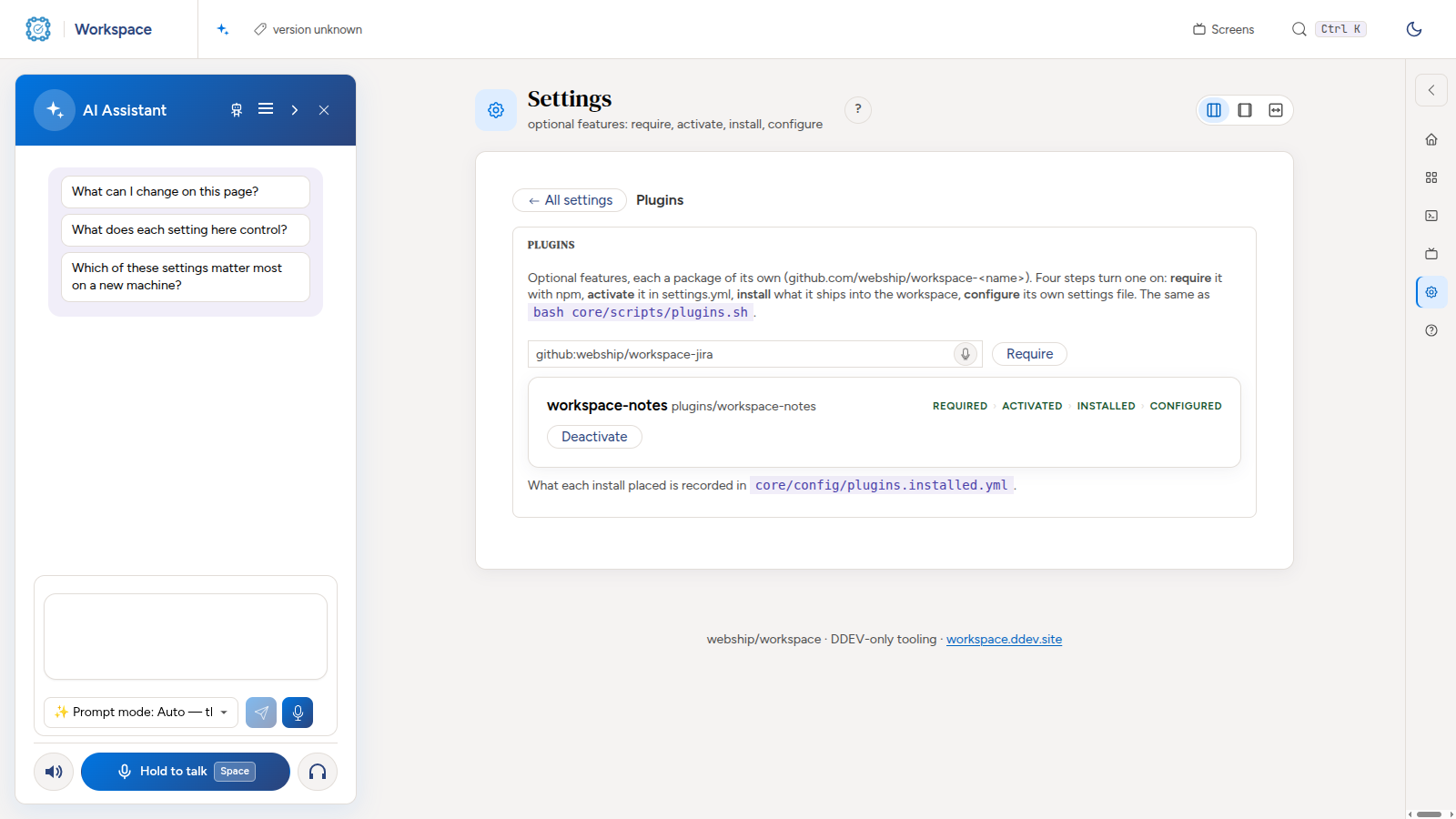
Each plugin is a real npm package with its own repository at github.com/webship/workspace-<name>, and it joins the dashboard in four steps: require, activate, install, configure. You can do that from the Plugins page in the dashboard, or from the command line.
The bigger idea: we live in many workspaces
Here is what I keep thinking about. We do not work in one workspace. We already move between many of them every day:
- Company space: the projects, clients, releases and hosting.
- Org space: an organisation or a community, its rules and its people.
- Family space: plans, photos, documents, the kids' homework.
- School space and Uni space: courses, assignments, research and notes.
- Video space: recording, editing and producing, with its own tools and steps.
And many more will come. A workspace does not have to be fixed for one job. It can be a room you work in, or a folder with more advanced powers. A video workspace knows about recording and production. A school workspace knows about lessons and deadlines. Each company can shape its own.
Connected by one spec
The nice part is that the workspaces connect to each other, and they share one way of describing themselves. Every workspace carries:
- Documentation and specs: what this space is for and how it works.
- Rules: what is allowed, what must never happen, how things are named.
- Agents, skills, prompts and AI commands: the helpers that know this space.
- Settings and actions: what you can build, run, back up or publish here.
Because every space speaks the same spec, the AI can follow you from one to the next. It can read the rules of your company space, use the skills of your video space, and keep notes in your docs space, without you explaining everything again. That is where I want Webship Workspace to go: more customization, more kinds of spaces, and an AI that understands all of them.
Install it
You need Node.js 20 or newer, Docker and DDEV. Install the workspace from npm and set it up in one command:
# Node.js 20 or newer, Docker and DDEV
npm install -g @webship.co/workspace
webship-workspace init ~/workspace
Open https://workspace.ddev.site. It starts empty: no workspace folders, no plugins. You add only what you need.
To add a workspace, open Settings → Plugins, or use the command line, for example for the video workspace (catalog lists everything you can add):
webship-workspace plugin require video
webship-workspace plugin activate video
webship-workspace plugin install video
webship-workspace plugin configure video
webship-workspace catalog
Webship Workspace on GitHub @webship.co/workspace on npm
I would love to hear which spaces you would create.

